

01 · THE PROBLEM
Every open home
ends in admin.
Every weekend, agents collect buyer details on paper or an iPad. Then the real work starts: typing names into the CRM, ringing every buyer for feedback, and writing up updates for the vendor. The problem was clear, it happened every week, and every agent we spoke to recognised it.
Paper sign-in sheets
Messy handwriting, missing numbers, and every name typed into the CRM by hand.
Chasing feedback
Calling every buyer after the open, with half going straight to voicemail.
Vendor updates
Writing it all up for the vendor, then taking the follow-up call anyway.
03 · THE DESIGN
Designed for the
person at the door.
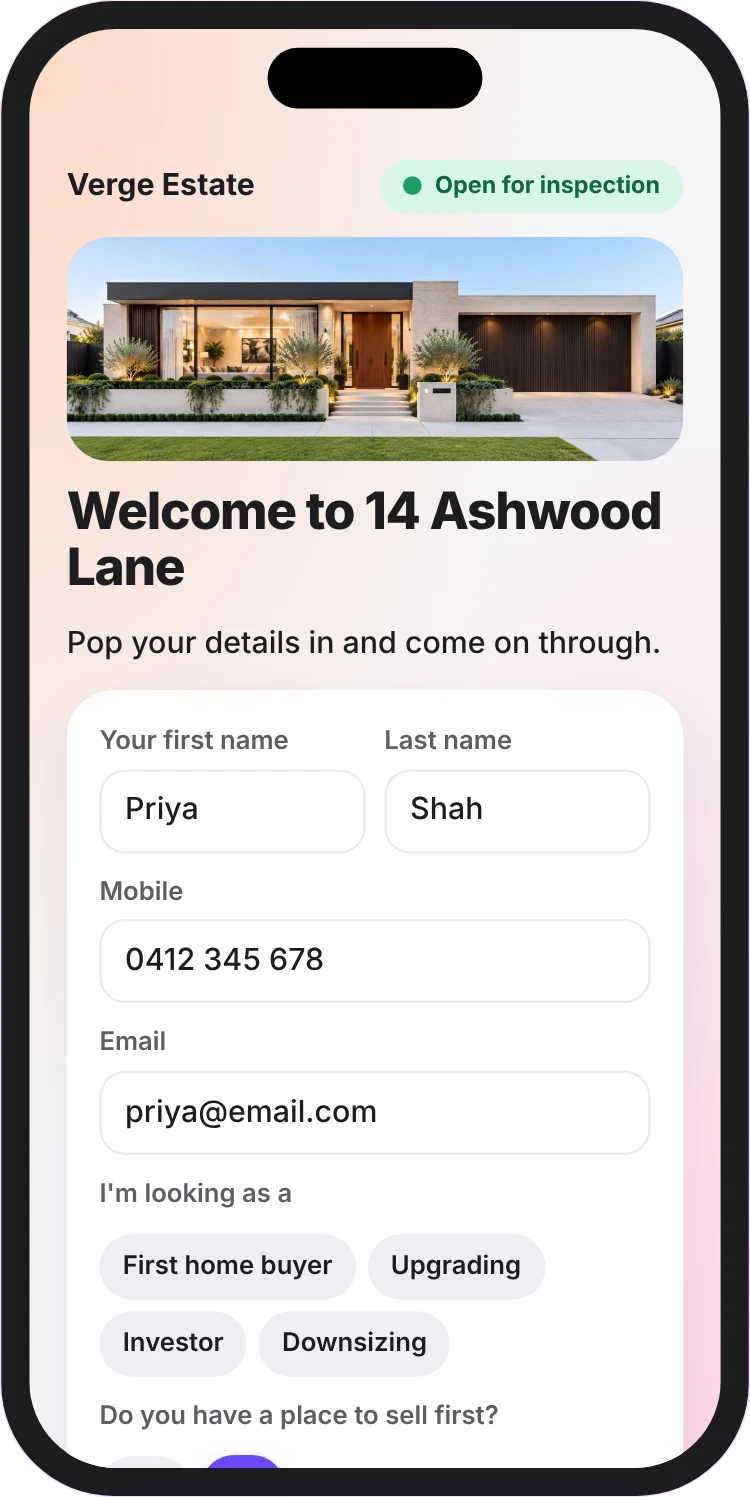
The most important screen is the one a buyer sees when they scan the QR code. They’re standing in a hallway, often with a group behind them. So signing in takes seconds, needs no app, and only asks for what the agent actually uses.
An hour later, every buyer gets a text with their own feedback link. Thirty seconds to answer, and no phone calls for the agent.



04 · THE AGENT’S SIDE
Know who to call before you’ve left the driveway.
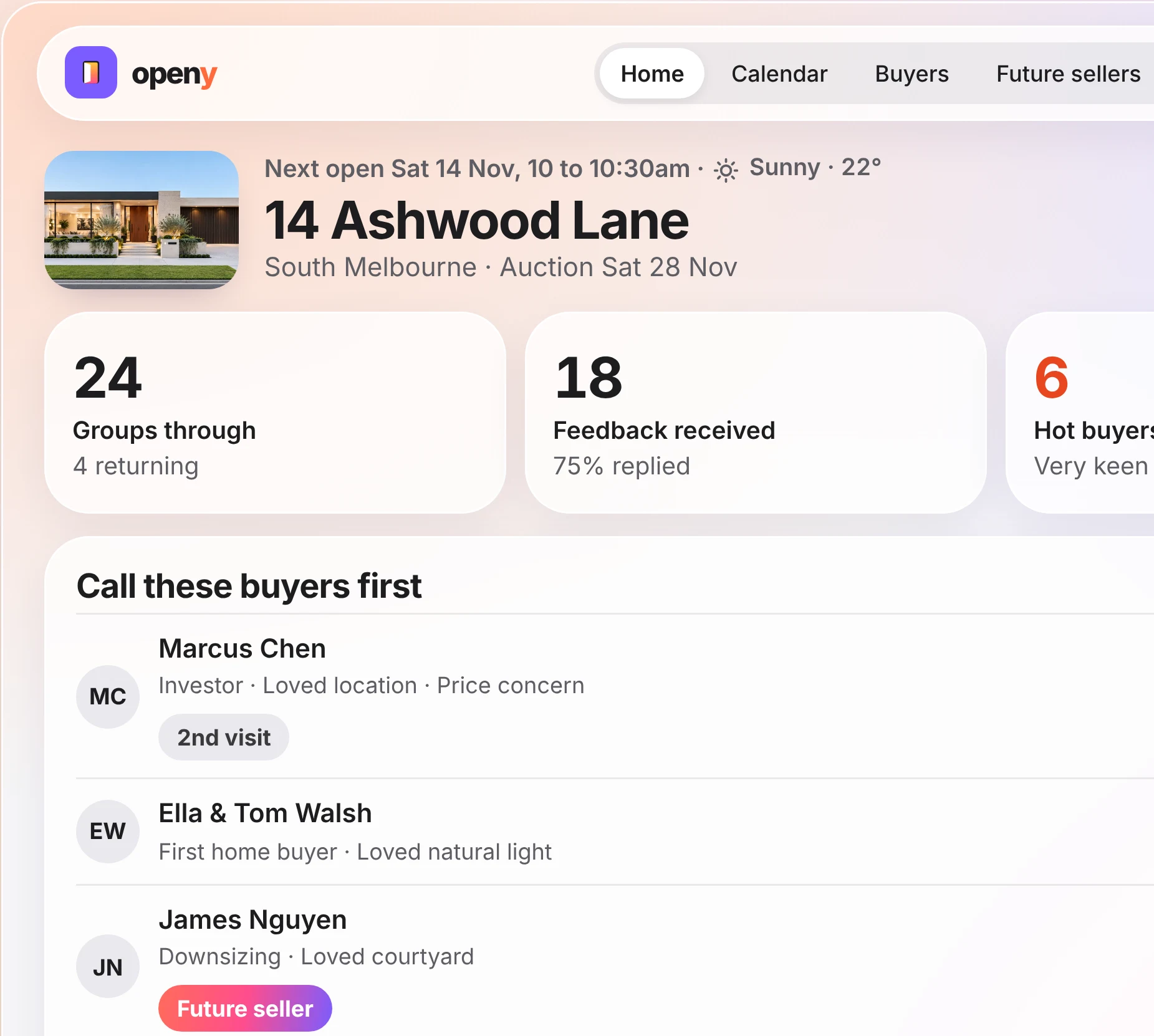
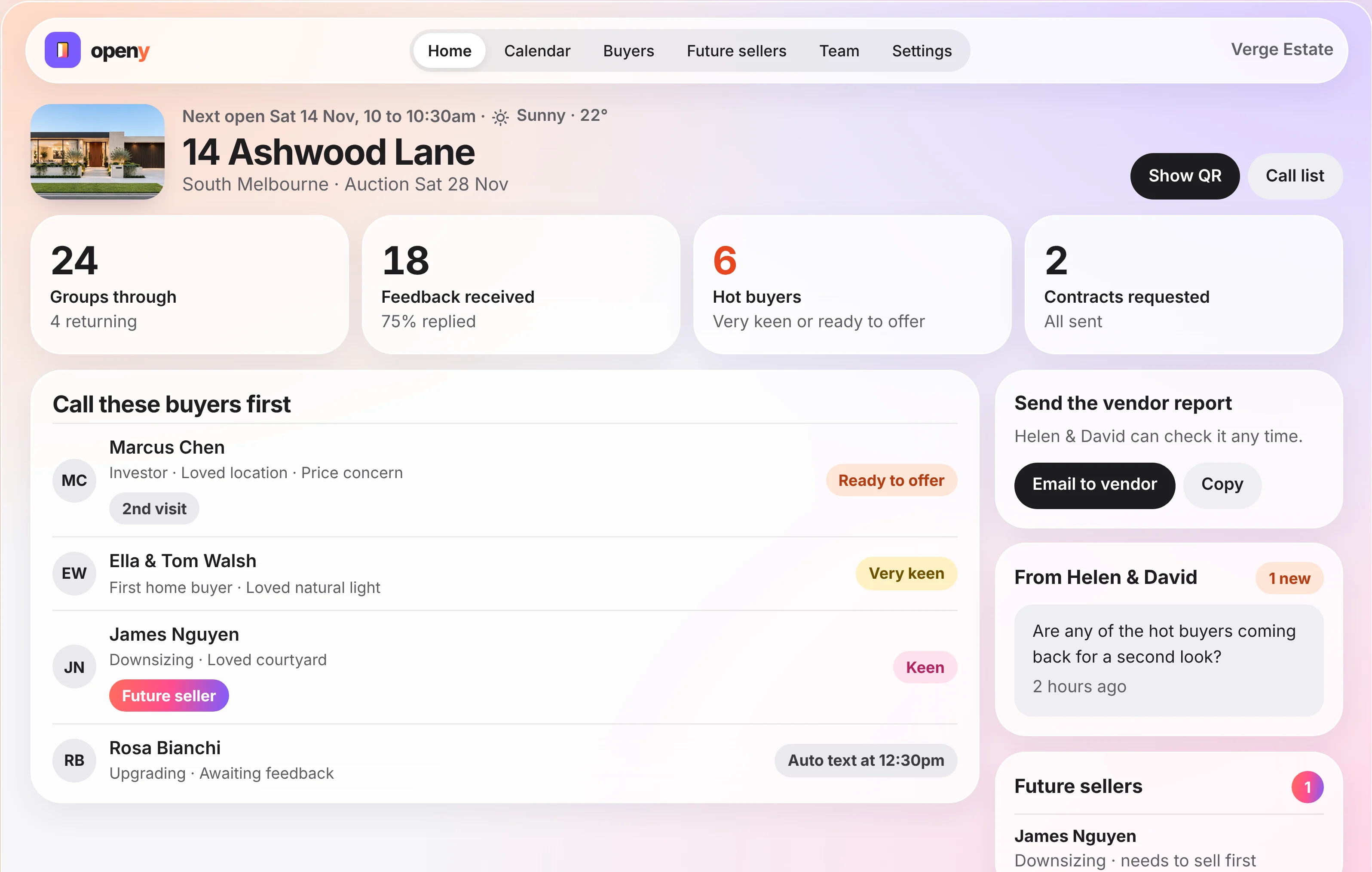
Every buyer lands on one screen, ranked by how keen they are. Hot buyers are flagged, buyers who need to sell first become appraisal leads, and contract requests sit at the top until they’re sent. Messages from the vendor show up right alongside. For principals, an agency overview shows every open home this week, which buyers haven’t been texted and which vendors are still waiting on an update.
05 · THE VENDOR’S SIDE
Vendors stop asking how it went.
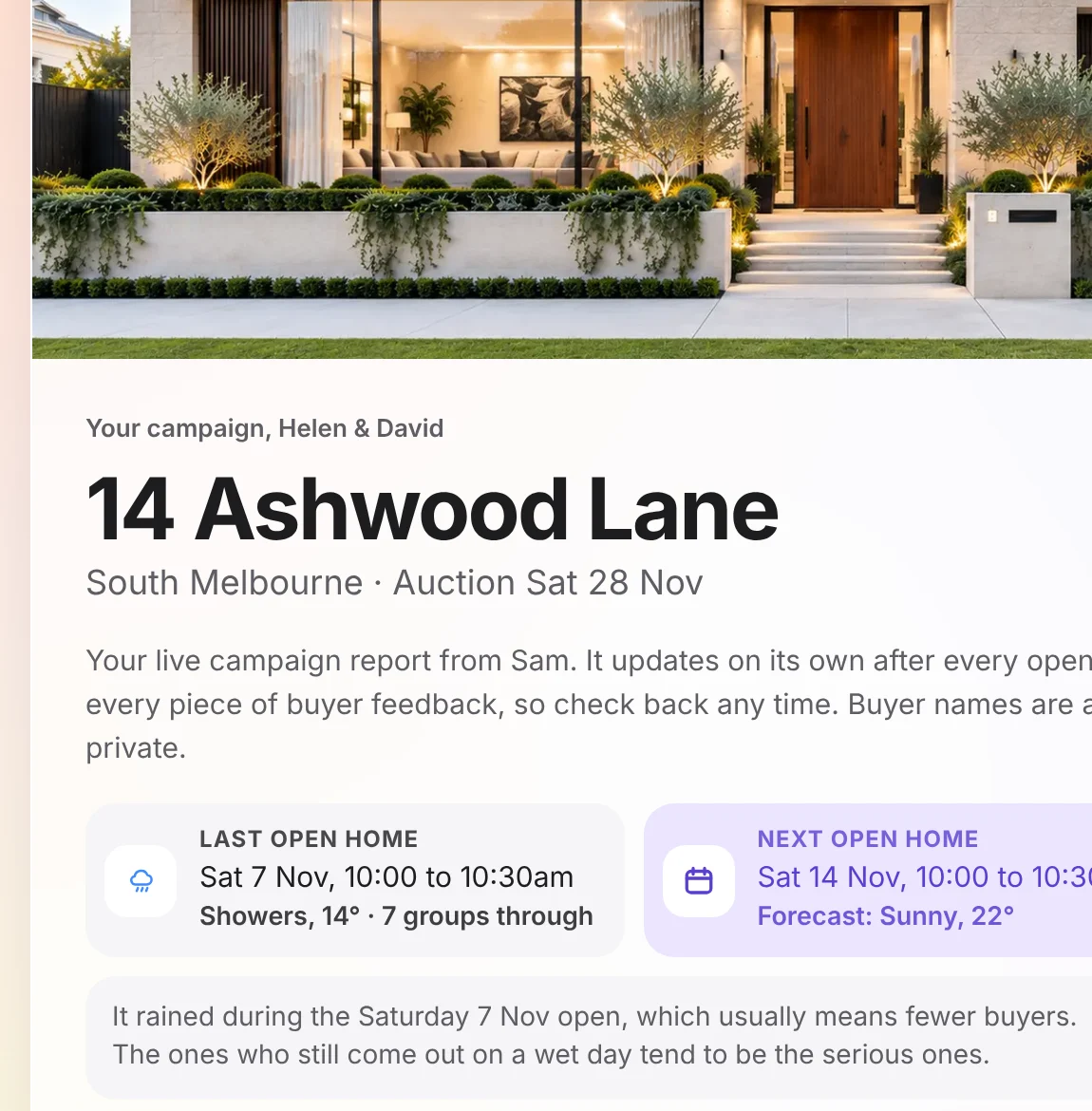
Each campaign gets a live report link. Vendors see groups through, how keen buyers are, what they think it’ll sell for and what they’re saying in their own words, plus a weekly note from their agent. They can reply straight from the report, and every Monday a summary lands in their inbox. No more Monday morning update calls.
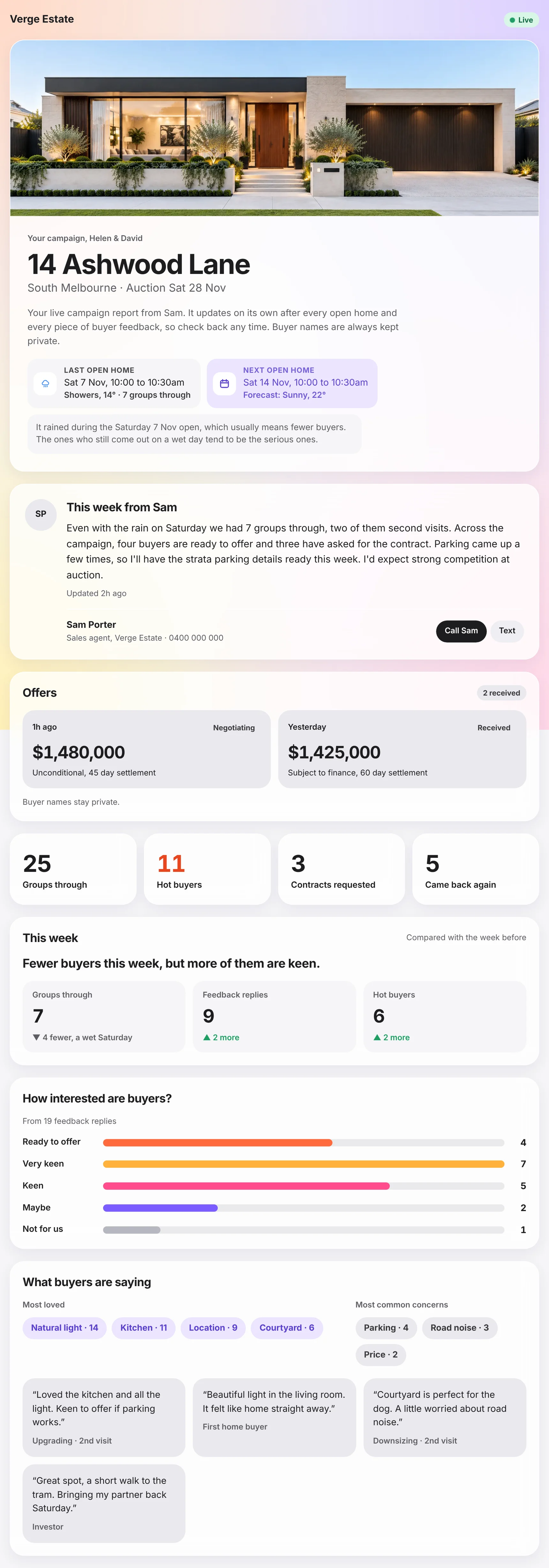
- A live link, not a PDFVendors check in whenever they like. It updates the moment a buyer signs in or leaves feedback.
- A weekly note from their agentThe agent’s own words up top, so the numbers always come with context.
- How keen buyers really areInterest levels from every feedback reply, from “not for us” to “ready to offer”.
- What buyers think it’s worthAnonymous price guesses, plotted as a range. Great for managing expectations.
- Offers, as they landEvery offer appears on the report with its terms, so nothing gets lost in a phone call.
- Replies, straight to the agentVendors can message their agent from the report, and it shows up on the agent’s listing page.
- A Monday summary by emailThe week’s numbers, what buyers liked, what held them back and the agent’s note, straight to the vendor’s inbox.
07 · WHAT WE LEARNED
What building Openy taught us.
Five lessons from taking Openy from an idea to a live product, and the same thinking we bring to every client build.
Read the full story- 01 Pick a narrow problem One job, designed properly, beats a dozen half-finished features.
- 02 Design for the real context A hallway with a queue behind you, not a desk with a big screen.
- 03 Build the smallest real version Prove the flow at real open homes before automating everything.
- 04 Connect, don’t replace Fitting into existing tools is far easier to sell than switching them.
- 05 Let the product sell itself A live demo you can try on your phone beats any amount of copy.
Live, in use and still improving.
Services on this project: Software and web apps · Branding · Web design
2 PROJECT SPOTS LEFT FOR DECEMBER
Got a product idea of your own?
We’ll help you find the smallest version worth building, then design, build and launch it.